


Zelle vs. Venmo vs. Cash App: The Safest Way to Send Money
BluPeak Credit Union Financial Wellness Team
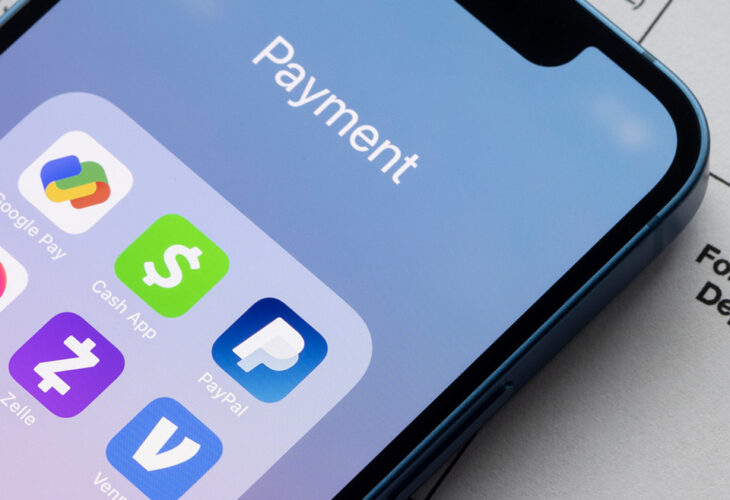
Zelle®, Venmo®, and Cash App® all let you send money in minutes, but they work differently. Zelle® moves money directly between bank accounts (often within your banking app) and doesn’t hold a balance, which many people consider the most secure for everyday transfers between people they trust. Venmo® and Cash App® store a balance and add social and investing features. Critically, none of the three protects you if you’re tricked into sending money to a scammer — so the safest app is the one you use carefully, only with people you know.
Peer-to-peer (P2P) payment apps have made splitting rent, paying a friend back, or covering your share of dinner almost instant. But “instant” cuts both ways: once money leaves your account, it’s usually gone for good. So which app is safest — Zelle®, Venmo®, or Cash App®? Here’s how they compare and how to use any of them without getting burned.
How Do Zelle®, Venmo®, and Cash App® Compare?
| Feature | Zelle® | Venmo® | Cash App® |
|---|---|---|---|
| How money moves | Bank-to-bank directly | Held in app balance | Held in app balance |
| Where you access it | Inside your bank/credit union app | Standalone app | Standalone app |
| Speed | Typically minutes | Instant in-app; fee for instant bank transfer | Instant in-app; fee for instant bank transfer |
| Holds a balance? | No | Yes | Yes |
| Extra features | None — just transfers | Social feed, business profiles, crypto | Investing, Bitcoin, Cash Card |
| Fees | Generally free to send | Free from bank/debit; fee for credit card & instant transfer | Free from bank/debit; fee for credit card & instant transfer |
| Scam protection | None for authorized payments | None for authorized payments | None for authorized payments |
Which Is More Secure: Zelle®, Venmo®, or Cash App®?
All three use encryption and are reasonably safe for sending money to people you trust. The security differences come down to how they’re built:
- Zelle® doesn’t store a balance and runs inside your credit union or bank’s own app, so there’s no separate account balance for a fraudster to drain. That’s why many people consider it the most secure for routine transfers between friends and family.
- Venmo® and Cash App® hold a balance and layer on social and investing features. That extra functionality is convenient but creates more surface area — a stored balance, a public social feed (on Venmo by default), and more account settings to lock down.
The most important security fact, though, applies equally to all three: these apps are designed for payments between people who know each other, and none of them reimburse you if you willingly send money to a scammer. Treat every P2P payment like handing over cash.
What Scams Target P2P Payment Apps?
Fraudsters love P2P apps precisely because payments are fast and final. The most common scams:
- The “accidental payment” scam. Someone sends you money, then claims it was a mistake and asks you to send it back — but their original payment was stolen or reversed, leaving you without the funds.
- Marketplace and deposit scams. A “seller” or “landlord” insists on a P2P deposit for an item or apartment that doesn’t exist.
- Imposter scams. Someone posing as your bank’s fraud department tells you to “send yourself” money via Zelle® or another P2P app to “protect” it — a tactic that actually sends it straight to them.
- One-time passcode (OTP) theft. A scammer asks you to read back a verification code to “verify” your identity, then uses it to take over your account.
For a deeper look at today’s threats, see our guide on how to protect yourself from financial scams.
How to Send Money Safely on Any P2P App
- Only send to people you know and trust. P2P apps are not for buying from strangers.
- Double-check the recipient. Confirm the username, phone number, or email before hitting send — a single wrong character sends your money to the wrong person.
- Never send money to “protect” it. No legitimate bank or credit union will ever ask you to transfer funds to yourself or anyone else to keep them safe.
- Never share a one-time passcode. BluPeak — and any financial institution — will never ask you to read one back.
- Lock down your settings. Make Venmo transactions private, enable a PIN or biometric lock, and turn on transaction alerts in digital banking.
- Use Zelle® through your BluPeak app for everyday transfers so everything stays in one secure place.
Send Money Safely With BluPeak and Zelle®
BluPeak members can send and receive money quickly and securely with Zelle®, built right into BluPeak’s digital banking — no separate app or balance to manage. Combined with biometric login, customizable account alerts, and NCUA insurance to at least $250,000 on your deposits, it’s a simple, safe way to handle everyday payments between people you trust.
How to set up Zelle® within BluPeak’s digital banking
FAQs
Which is safer, Zelle® or Venmo®?
Both are safe for sending money to people you trust. Zelle® is often considered more secure for everyday transfers because it moves money directly between bank accounts without holding a balance and runs inside your bank or credit union app. Neither protects you if you’re tricked into paying a scammer.
Is Venmo safe to use?
Yes, when used carefully with people you know. Make your transactions private, enable a PIN or biometric lock, and never send money to strangers or in response to pressure. Venmo® does not reimburse authorized payments you later regret.
Do Zelle®, Venmo®, or Cash App® protect you from scams?
No. All three are designed for payments between trusted contacts and generally do not reimburse money you willingly send to a scammer. That’s why verifying the recipient and refusing urgent requests is essential.
What’s the safest way to send money to a friend?
Use a P2P app like Zelle® through BluPeaks app, confirm the recipient’s details before sending, and only pay people you actually know. Treat the payment as final, because it usually is.