Loan Payment

Make a Loan Payment

At BluPeak Credit Union, we’re always looking for ways to make managing your finances easier and more convenient. That’s why we offer multiple loan payment options designed to give you speed, flexibility, and control.

Digital Banking

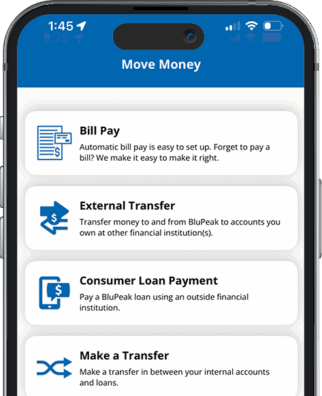
Login to your BluPeak account or app and click on “Move Money” from the menu to make one-time or recurring loan payments from an external account, or transfer from a BluPeak savings or checking account.

Move Money app on iPhone screen Phone mock up

Pay Without BluPeak Digital Banking

Make a payment without a BluPeak Digital Banking account by using Express Pay.

Call Us

Give us a call and our representatives will glady assist you:

Domestic: 866.873.4968
International: AT&T USADirect + 866.873.4968

Visit a Branch

Visit your nearest BluPeak Branch to make deposits into your loan account.

Berkeley Branch

Davis Branch

La Mesa Branch

Mission Valley Branch

UCSD Branch

Frequently Asked Questions

Can I pay my loan with cash?

Yes, visit any of our branches to make cash payments to your loan.

Log in to BluPeak Digital Banking via website or app to access your account information and loan details.

For additional support, use live chat, call 866.873.4968, or visit a branch.

Contact us at memberservice@blupeak.com or 866.873.4968 and we will assist you with your final payment.

Woman on phone, text reminders banner

Loan Payment

Online Loan Payments Made Easy

Disclosures

Mobile and data rates apply when using mobile banking.